Updating Your MyTMB Security Questions
Security Questions must be selected and answered to help keep your account safe.
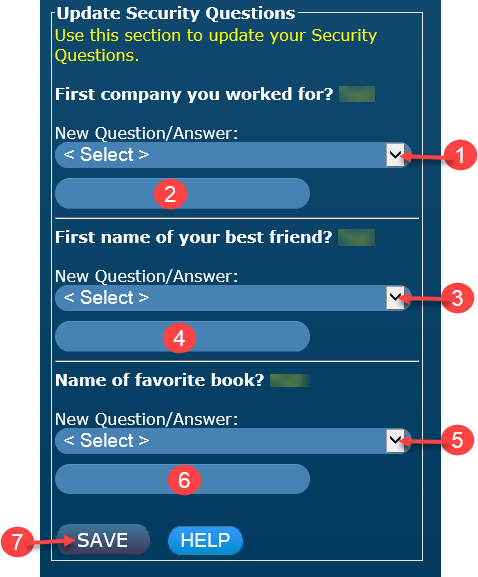
NOTE: You cannot select the same question more than once.
- Select a Security Question from the drop down list.
- Type your answer to question selected.
- Select a Security Question from the drop down list.
- Type your answer to question selected.
- Select a Security Question from the drop down list.
- Type your answer to question selected.
- Select Save.
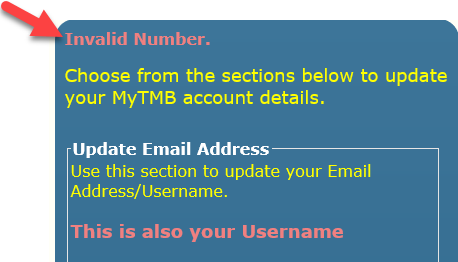
NOTE: If your changes are not saved, scroll back to the top of the active window and look for an error message similar to the one below.
- File: Help Login Update Security Questions
- Last Updated: 5/11/2017